
MacBook Air M4 Review: The Laptop I Keep Forgetting to Charge
Three things sold me on the MacBook Air M4: 16GB of RAM as standard, a lower starting price, and a battery that lasts so long I forget where the charger is.
- Title
- MacBook Air 13-inch (M4, 2025)
- Category
- Laptop
I’ve been using the MacBook Air M4 for a while now, and I have a weird problem: I keep forgetting to charge it. Hindi ko na alam kung saan ko nilagay yung charger. That’s probably the best compliment I can give a laptop.
This is where all my work and passion projects happen. Video editing for my Quiz Bojji and Your Stoic Bro shorts, writing reviews for this blog, building apps, work calls, and a ridiculous number of Chrome tabs. Lahat, dito. Here’s how it’s holding up.

🎨 Design & Build
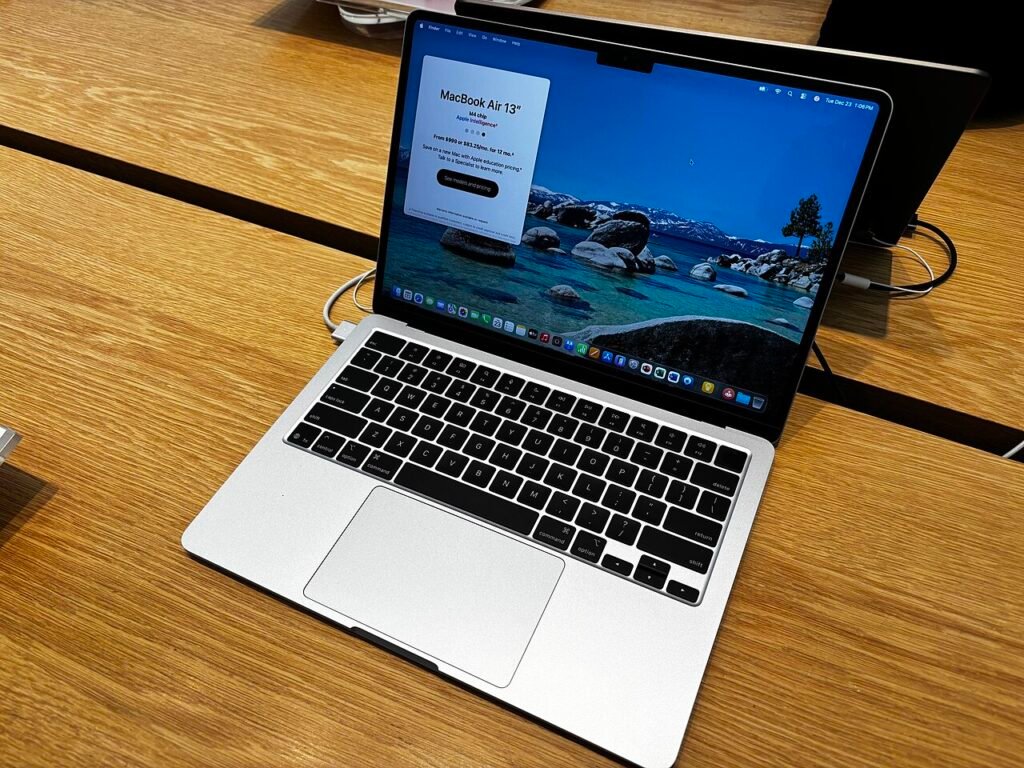
It still looks like the MacBook Air we know. Thin, flat, 1.24 kg, and walang fan kaya totally silent. Mine is the new Sky Blue, and to be honest, it’s more silver with a light blue tint than actual blue. Subtle siya. Still prettier than the Midnight one that becomes a fingerprint magnet.
The keyboard and trackpad are still the best on any laptop I’ve used. Touch ID is there. Nothing new, but nothing to complain about either.
🖥️ Display
The 13.6-inch Liquid Retina screen is sharp, colorful, and gets up to 500 nits. Indoors it’s great. Outdoors under the Philippine sun, kaya pa naman pero you’ll want to sit in the shade.
My only gripe is that it’s still 60Hz. After using phones with super smooth screens, scrolling on this feels a bit old. For a laptop at this price, sana 120Hz na.
⚡ Performance
This is where the M4 shines. The 10-core CPU just doesn’t slow down for normal work. Multiple apps, dozens of tabs, Spotify in the background, walang lag.
For my shorts, editing 1080p and 4K clips is smooth. Longer 4K exports take a bit more time because there’s no fan, so the chip slows down a little when it gets warm. For short-form content, hindi mo mapapansin. If you edit long YouTube videos every day, look at the MacBook Pro instead.
The best upgrade? 16GB of RAM is now the base. Finally. No more paying extra just to avoid the 8GB trap.
📸 Camera & Audio
The new 12MP Center Stage camera is a real upgrade. It keeps you in frame when you move, and Desk View can show what’s on your desk during calls. Mas presentable na ako sa meetings, kahit bagong gising.
The four speakers are surprisingly loud for something this thin. Good enough for Netflix in bed (where I fall asleep anyway).
🔋 Battery
Apple says up to 18 hours. I don’t do lab tests, but in real life I can get through a full day of writing, browsing and light editing, and still have some left the next morning. Kaya nga nakakalimutan ko yung charger.
🔌 Ports
Two Thunderbolt 4 ports, MagSafe, and a headphone jack. The M4 can now run two external monitors even with the lid open, which is a big deal if you have a desk setup.
But two USB-C ports is still too few. I always need a dongle for my SD card and camera.
❌ The not-so-good
- 256GB base storage fills up fast if you edit videos. Get 512GB if you can, or plan on an external SSD.
- Still 60Hz.
- Only two USB-C ports.
- No fan, so long heavy exports slow down a bit.
💸 Is it worth it?
The 13-inch starts at ₱64,990 for 16GB/256GB, which is actually cheaper than the M3 Air was at launch. For students, writers, and creators who mostly do short-form content, this is the easiest laptop recommendation I can make right now.
Final verdict 🎬
The MacBook Air M4 doesn’t try to wow you. It just works, all day, quietly. 16GB of RAM as standard and a cheaper starting price make it the best value Air yet. Just don’t buy the base storage if you edit videos.
The breakdown
“The best-value MacBook Air yet. Just don’t buy the base storage if you edit videos.”